How to Learn English with Technology?

Hello All!

This blog is designed for anyone interested in English Language Education. This blog will provide you with technology options such as tools for teaching or learning English instead of using traditional disengaging textbooks and workbooks as the primary resource.

English is also not my first language. So, I can empathize and sympathize with many of you out there going through this journey! Shortly after I was born, I moved to Germany. However, I also have family in the Philippines, so I grew up learning German and Ilocano. I moved back to America when I was 6, and that is when I started learning English. I was in ELS classes exclusively for the first year and then supplemental classes for the next couple of years. The biggest impact I remember when learning English was using a computer and learning vocabulary through software games.

I will share the resources I use personally for language learning and the ones I utilize in my class here, which is my main website. Try different things and find out what works best for you or your students! There are so many applications out there, and even I rotate among so many. I hope you find something interesting! Good luck on your English Language journey!

Thursday, February 18, 2021

ELRC 7505: Module 6—Segmenting and Pretraining Principles

Description of Worked Example 

With the shift of doing everything digitally, it’s becoming more and more relevant that something so easy to operate is also something we’ve blindly dismissed in how to troubleshoot.  The worked example topic I chose to describe was how to troubleshoot volume settings, and the audience is directed towards users operating a windows device.  In the video, I have six steps listed and each step is presented on a new screen to draw the learner's attention (p. 255).  However, all six of these steps do not need to be completed every single time.  I viewed this worked example in a way that if the previous step does not work to solve your problem, continue forward to the remaining steps until you reach a solution.

Skills Developed Along the Way 

The worked example I provide aligns with the principles Clark & Mayer have shared throughout the semester.  I believe I incorporated elements of each of the principles we have learned about so far, but I  focused on the personalization principle, multimedia principle, and modality principle the most because I use a casual description of events through my narration, relevant visuals with audio alone, and very limited text (p. 253-254).  For the purposes of the worked example, I was really fond of the active observing technique.  I chose record with Screencast-O-Matic because through this method, “learners could solve problems as they observed the video” (p. 252). 

Challenges

A challenge I struggled with in completing this project was contemplating adding background music or not.  When looking back at previous assignments I have completed, I find that my preference of adding background music it’s dependent on the program I use to create the work.  The way I created this assignment was different than the previous digital story project in last week’s task, but for whatever reason, I always find myself warry of not wanting to use background music in Microsoft PowerPoint presentations.  I’ve been doing video responses for my discussion posts throughout the master's program, and seriously I don't think there's a time I put music in my Microsoft PowerPoint Presentations!  I’m curious on how to proceed, please tell me what you think!

I have a video embedded on the 2nd slide if you are curious about the example video I selected and I also have a video embedded on the 10th slide that is a short 30 second clip of the entire process.

Here is a link to the Google Slides presentation:  Click Here

Here is a link to the Worked Example YouTube video:  Click Here

Wednesday, February 10, 2021

ELRC 7505: Module 5—Personalization Principle

Welcome to week 5 in ELRC 7505!  This week’s theme covers the personalization principle.  Below I will share a link to the assignment —a digital story.  This multimedia project includes:  audio, narration, static images, overlays, transitions, and GIFs.  I hope you enjoy!   

Who is it for?

This digital story is a brief reflection of how simple and routine greetings can positively affect the language learning process.  By using the phrase “How are you” and following up with “why”, Bloom’s Taxonomy is in motion between the teacher, student, and their classmates.  It’s an easy way to reinforce learning on a daily basis and keep the students actively engaged.  Within the digital story, I provide two examples and a rationale for what each option offers.  The video also references findings from Clark & Mayer (2016) to support its language enhancement capabilities.  Although the focus is English education, the idea of a simple and routine activity can be applied to many disciplines to help expand knowledge in within the field.

Challenges

This is my second time creating a digital story, so I continued to use a program I was familiar with—WeVideo.  The first time I created a digital story, I was very excited—BUT—I had absolutely no idea how time consuming it could be.  The second time around, I felt more comfortable because I knew roughly what to expect, so I could dedicate more time to the process. 

Other than having to familiarize myself with the program again, it was definitely a smoother experience overall, but there were some new challenges I faced.  One problem I struggled with was trying to rearrange the order of having multiple media on a single frame—in my case a gif and a static image.  The second problem I encountered was trying to add an overlay to a frame.  Some overlays were easier to edit than others and are present in the final cut, however there was one in particular I really wanted to have but ultimately decided to cut since the flow seemed interrupted.  The third challenge I struggled with remains in the finished work, and it’s how I inserted a GIF to represent a pedagogical agent.  I wanted to do more with it and the original goal was to make it an animated character for a real immersive feeling.  I kept thinking about the reading and how “adding a motionless full-body agent does not have a substantial effect on learning” (p. 196).  I was undecisive and felt like the GIF could be both a pro/con.  Perhaps with more experience and the next digital story I create, I will branch out and try a new program and see the benefits it has to offer.  

Personalization Principle

Here is a link to my first digital story from a previous class, Language Around the World.

Here is a link to my second digital story for this assignment, Routine & Warmups for ESL.

Please look at both!  When I compare the two, there’s quite a big difference in the final product and a lot of it is due to what we’ve learned from Clark & Mayer (2016).  Major differences are noted in duration of the digital story as well as the use between conversation and formal wording.  Even though I mentioned it as a challenge, the frame with the GIF was still an improvement that revolves around politeness theory and embodimentBy noticing it's eye-blinking, swaying side-to-side, and smile, that allowed to the learner to have freedom of action to work cooperatively with the agent (p. 188).  The personalization principle, along with modality and redundancy principle, are present in the second digital story.  Some components used from the personalization principle that are present in this video are listed below.  Please let me know what you think—I appreciate any comments or feedback!

·       Conversational narration

·       Polite wording

·       First/second pronouns

Wednesday, February 3, 2021

ELRC 7505: Module 4—Coherence Analysis Project

Coherence Principle:  Weeding Out the Extra

Welcome to week four and my coherence analysis project!  In this week's assigned reading, we were introduced to the coherence principle.  It aims to exclude irrelevant words, graphics, audio in e-learning materials.  This blog post is a bit shorter on content than previous weeks, but I have included a link of my paper below that includes my interpretation of this new principle.  The reading and assignment was something that resonated with me because during this asynchronous learning experience, it's reflected in my writing and multimedia discussion posts. During my time in the master's program, there have been many opportunities for me to improve on clarity and brevity with written assignments and projects.  This semester  however, has been quite different than previous semesters because I'm learning so much about practice.  The reading provided intriguing results on student performance from aligning and misaligning to coherence principle recommendations.  In my paper I reflect on successful and unsuccessful examples of the principle, relationships to other principles, and it's limitations.  

(Andrew DeBell, n.d.) 

Thanks for checking out the blog! Click the hyperlink for the Google Doc ~

Wednesday, January 27, 2021

ELRC 7505: Module 3—Modality and Redundancy Principles


 Hello again, everyone!

Welcome to another weekly learning log update! In this week’s blog I will share my experience with a narrated presentation project and link it at the end of the post for you to see.  Since I have already shared a handful of resources and tips on what applications I personally use for language learning on this blog site as well as my main website—for this assignment, I decided to explore something on the other end of the spectrum and share a resource I use to teach.  This led me to elaborate on an e-learning textbook application that my school currently uses.  My goal for the narrated presentation project was to include the recommendations that Clark and Mayer (2016) provided in this week’s assigned readings and apply them in the PowerPoint design, as well as, analyzing the actual e-learning component (image below).

The multimedia from the e-learning content I refer to in the project are: 

·      Narration

·      Printed Words

·      Static Pictures

·      Animation

The narrated presentation project demonstrates modality by “reducing the load on the visual channel by presenting the verbal explanation as speech” (p. 119).  I believe the first slide supports that in an easy fashion.  I introduce a static image and have a description of simple topic questions beside it rather than under it to align with recommendations from Clark and Mayer in previous chapters.  Regardless of if the viewer has continued from my discussion in the forum, this design gives the viewer an outline of what to expect on the slide and sets them up for the remainder of the presentation, by not being overwhelming with lengthy descriptions but reasonable enough to read the questions and listen along.  

To improve flow, which is a concept we addressed in previous assignments, perhaps next time I could give a prompt such as “look at the image, read the following questions, then listen.”   To reinforce why the questions were present, Clark and Mayer mentioned the concept that “printed words should be used when the learner may not be able to hold the entire verbal message in working memory while viewing the graphic” (p. 126).  The questions were visual cues to enhance the auditory experience.  

My project demonstrates compliance in redundancy principles by “printing few key words next to corresponding parts of graphics to aid cognitive processing by directing the learner’s attention” (p. 141).  Other than the first slide, the remaining three slides have few on-screen text and simply rely on graphics and narration.  I enjoyed this week’s project because I favor making videos in my discussion posts.  Every time I create a recording response, I am reminded of experiences in undergraduate classes where my mind wandered because lecture slides would be drowned in text and lecturers would read verbatim what was on the screen.  Clark and Mayer mention that “adding redundant on-screen text to narrated graphics tends to hurt learning” (p. 139). So, I'm looking forward to the rest of the semester and I hope to develop these education technology skills to enhance learning experiences for others!

Narrated Presentation Project Link:  Learning Styles


Friday, January 22, 2021

ELRC 7505: Module 2—Static Multimedia Tutorial Project

Installing a Google Chrome Extension:  

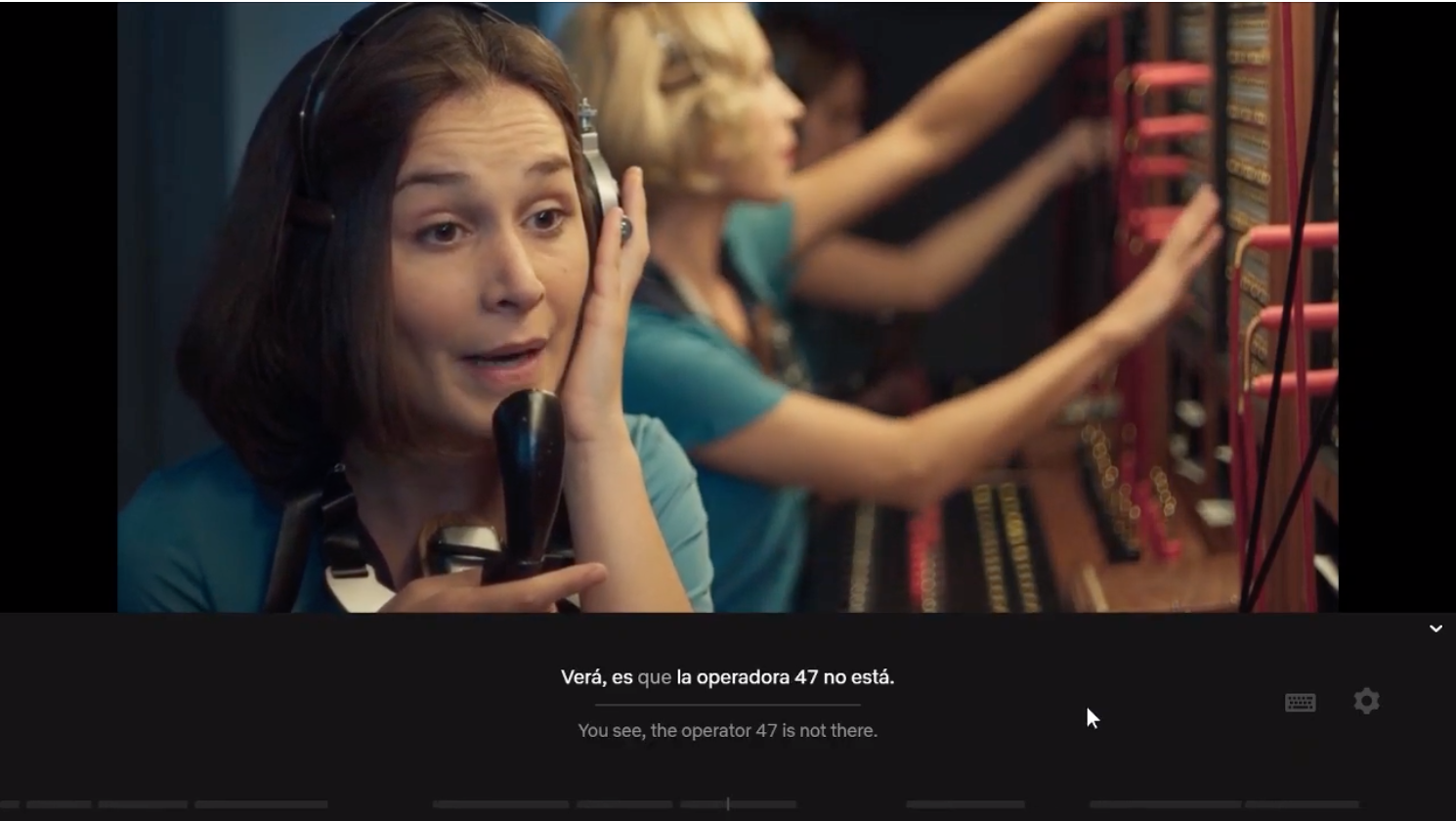
Language Learning with Netflix

Hello everyone!  Do you have a Netflix account and are interested in learning a language while watching shows in different languages?  Look no further because you have come to the right place!  In today’s post, I will be sharing with you an exciting, efficient, and fun way to learn language all while binge watching your favorites on Netflix!

The biggest struggle that I find with language learners is that they are eager to start their journey, but there is an overwhelming number of places to start.  Some choose the traditional book route, others enroll in classes, and more recently many have downloaded language learning apps on their phone.  I agree that all those options can help give you a great generalized start in fundamentals and keep you on track at a good pace with learning grammar and vocabulary.  However, learning a new language can be experienced in a more natural way aligning with Clark and Mayer's recommendations of an active and engaging environment; and that is with the help of the Google Chrome extension—Language Learning with Netflix.   

This Google Chrome extension will insert subtitle overlays onto whatever you are watching on Netflix.  You customize it per your preference, and it will present two sets of subtitles:  the language you understand and the language you want to learn.


I will include a hyperlinked step-by-step tutorial on how to install this language learning extension to your Google Chrome browser.  Learning outcomes for this task include:
  • Adding Language Learning with Netflix extension (near transfer goal)
  • Knowledge to know how to install other educational extensions with the same set of steps (far transfer goal)
  • Pinning the extension for easy access to enable extension perks (near transfer goal)
  • Unpinning the extension to clear toolbar (far transfer goal)

Multimedia and Contiguity Principles

In creating my step-by-step tutorial I aimed to align it with multimedia and contiguity principles Clark and Mayer (2016) had discussed throughout the assigned readings of this week’s module.   A key idea they presented was  “learning is facilitated when the graphics and text work together to communicate the instructional message” (p. 74).  The example in this week's assignment is the use of integration with static images.  This aspect of introducing content via text and still graphics adds a different flavor to the learner's engagement in the learning process.  The tutorial is simple and easy enough to follow instruction, yet it still turns the wheels of motion for understanding the topic to occur.  This is a completely different atmosphere as compared to an experience that is instructed  in narration alone or an animated presentation.   

As I am not familiar with everyone’s tech comfortability, I agree that the static method can help assist the range present in the audience to achieve the lesson outcomes, because “words and graphics is particularly important for learners who have low knowledge of the domain” (p. 80).  I also favored the idea of installing an extension as the task in the tutorial because, critical thinking and personalized learning is a push a lot of educators are altering their pedagogies for.  As the learning outcomes stated, I believe the near transfer goals will ultimately transition to far transfer goals, because the audience will be able to “make connections between corresponding words and graphics and have a major step in meaningful learning” (p. 104).  The audience will have the knowledge of how to install educational tools for learning.   

Click here for the Tutorial:  Language Learning With Netflix

References:  Clark, R. C., & Mayer, R. E. (2016). E-learning and the science of instruction: Proven guidelines for consumers and designers of multimedia learning. Wiley


Thursday, January 14, 2021

ELRC 7505: Module 1 Learning Log


New Semester, New Knowledge 

First Spring 2021 SemesterHello to all and Happy New Year!

Thanks for checking out my blog post for the Learning Log Assignment! 

I have utilized this blog site for three classes in the master’s program (ELRC 4507, ELRC 7501, ELRC 7505) and I enjoy that I get to continue to update it and watch it grow.  Please look around the blog and if you have time, feel free to check out the main website that has links and examples to use for language education!

Interest in the Course

At first glance, the name of the course—Design & Development of Multimedia Instructional Units—sounds like it may be a class filled with creative, exciting, and new projects.  This is my 5th/6th course in the program, and I have mentioned in many introduction posts on Moodle and Flipgrid, as well as in the About Me section of this blog site, that my biggest hobby is in watching independent film.  Multimedia is a combination of words, audio, and images, but I am really drawn to the animation and “filmmaking” portion of it.  As far as the design and development components, I have correlated that to actions a director a producer would have, which all the more makes me very interested in what the class potentially has to offer. 

What to See in the Coming Weeks?

I am very eager to see what we will be able to create as we gain a better understanding through processes and principles in the next seven weeks!  After quickly viewing each module title, the personalization principle has caught my attention more so than others.  In previous semesters, I have had opportunities to learn about different types of instructional learning strategies, creating digital story boards, and also branching out towards different products for a multimedia projects.  The greatest part about those assignments was the personalization factor.  So, I am very interested to know the “behind the scenes” of how to improve and develop a better creator experience for myself and developing a better audience experience for viewers/participants.  Looking forward to sharing these new experiences with the class or those who are just following along!   Please don't hesitate to reach out! I appreciate any feedback/comments.  Thanks!

Here is a link to my multimedia project!

https://my.visme.co/view/dmdrm6z1-ok32rzkyo4kz5w8d

Here is a link to my digital storyboard video!

https://sites.google.com/view/anateacheseigo/technology-projects/digital-story?authuser=0


Thursday, October 22, 2020

ELRC 7501: Module 1 Reflection

New Knowledge in ELRC 7501

Hello all!  What is ELRC 7501?   It’s a graduate level course in LSU’s Master’s of Education program.  The class is called Educational Technology Evaluation and Assessment.  My academic and professional background are a cluster of elements, and I am still unsure of where my professional career will take me.  I may continue to teach English language learning and upon completion of the degree pursue a different audience at the university level or I may return to healthcare in nursing as a clinical educator or adjunct professor for a nursing program.  Nonetheless, either option requires apt skills in utilizing education technology and performing evaluations and assessments, so I hope I gain the skills to learn how to be an effective, efficient, and impactful to complete these tasks. 

Learning Style

There are currently seven different learning styles as defined by Time4Learning listed below:

l  Visual (spatial) Learner

l  Aural (auditory) Learner

l  Verbal (Linguistic) Learner

l  Physical (Kinesthetic) learner

l  Logical (Mathematical) Learner

l  Social (Interpersonal) Learner

l  Solitary (Intrapersonal) Learner

This is actually new information to me as well as I only thought there were auditory, visual, and tactile learning types.  I initially believed that I was an auditory learner.  However—after reading more about what each category pertains to—I actually find that I am a combination of being a Social (Interpersonal) Learner and a Solitary (Intrapersonal) Learner. The former category is defined by Thinking4Lears as persons that are good listeners who are thoughtful and understanding.  The latter category is defined as persons that prefer being away from crowds and learn best in a quiet place where they can focus on the task at hand.

Patterns of Personal Challenges

My upbringing has given me the opportunity to learn more than one language, and that has transcended into what I feel today—I am fascinated with language.  All of the varying sounds and noises produced by different cultures have greatly influenced the way I communicate.  I often say that I’m an excellent listener and I have great confidence in this skill.  However, I am not confident whatsoever in being a leader; so much so that I stray away from roles where I have to do such tasks.  I constantly rely on a psychological crutch that “I am not the best candidate”; which then further exacerbates my struggles to actively participate in conversation.  My comfort zone has deceived me believe that I am not the best speaker and that being a shadow suits me.

Change in Practice

As I go through this master’s program and learn a variety of skills to be an excellent leader, I can honestly say that I am excited to learn content and connect with so many different people through the courses, however putting it into practice is where the real challenge will appear for me.  Luckily, I have a supportive personal learning network and environment to relay these concerns to and slowly adapt and implement what I have learned in class to put in practice.  Working at a private educational instruction is beneficial because the culture of my work environment is very open where there are many opportunities for professional development, so I am very fortunate that my colleagues are able hold me accountable in an approachable and meaningful way.    

Moving Forward with New Knowledge

During the learning process, I gain a lot by listening to what others have to say, and I truly try and understand through their perspective.  The way I absorb information by these learning styles are through three phases.  I absorb information presented and rather than immediately providing feedback, I like to digest the information.  After rationalizing the topics presented and connecting it to something of relevance to make it real, I actually go through a third phase of the information presented and decipher meanings above and beyond what was originally presented.  The seven-week course creates a different dynamic and expectations because of the accelerated route and graduate level difficulty.  Yet, I am very drawn to how this class provides different options to submit work.  As long as we answer the questions, we are able to submit work in a written post, a blog post, a short video, or a slide presentation.  It’s a completely different experience to what I am used to and I absolutely appreciate this process as it can accommodate many different learner types.