Installing a Google Chrome Extension:
Language Learning with Netflix
Hello everyone! Do you have a Netflix account and are interested in learning a language while watching shows in different languages? Look no further because you have come to the right place! In today’s post, I will be sharing with you an exciting, efficient, and fun way to learn language all while binge watching your favorites on Netflix!
The biggest struggle that I find with language learners is that they are eager to start their journey, but there is an overwhelming number of places to start. Some choose the traditional book route, others enroll in classes, and more recently many have downloaded language learning apps on their phone. I agree that all those options can help give you a great generalized start in fundamentals and keep you on track at a good pace with learning grammar and vocabulary. However, learning a new language can be experienced in a more natural way aligning with Clark and Mayer's recommendations of an active and engaging environment; and that is with the help of the Google Chrome extension—Language Learning with Netflix.
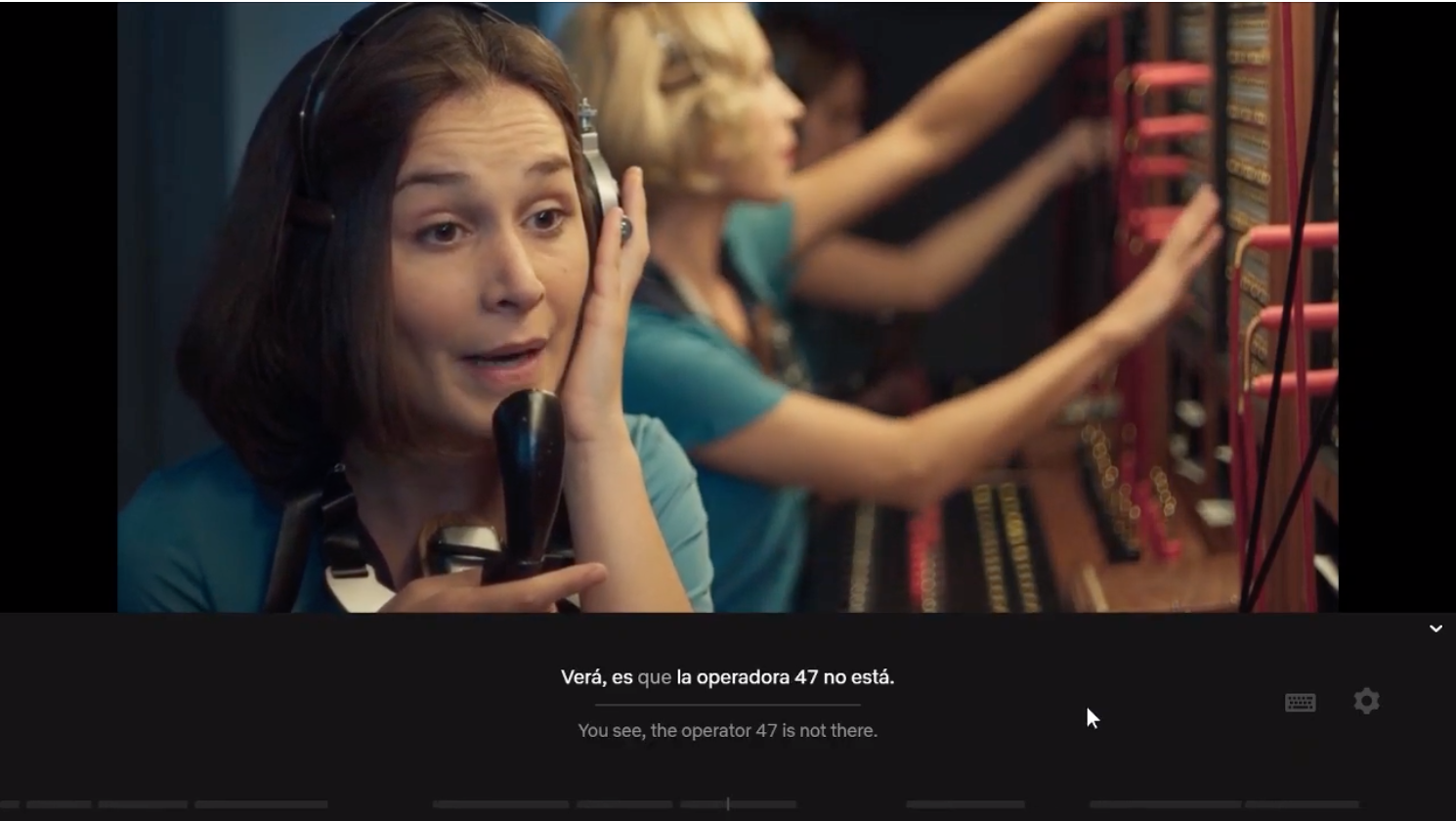
This Google Chrome extension will insert subtitle overlays onto whatever you are watching on Netflix. You customize it per your preference, and it will present two sets of subtitles: the language you understand and the language you want to learn.
I
will include a hyperlinked step-by-step tutorial on how to install this language learning extension
to your Google Chrome browser. Learning
outcomes for this task include:
- Adding Language Learning with Netflix extension (near transfer goal)
- Knowledge to know how to install other educational extensions with the same set of steps (far transfer goal)
- Pinning the extension for easy access to enable extension perks (near transfer goal)
- Unpinning the extension to clear toolbar (far transfer goal)
Multimedia and Contiguity Principles
In
creating my step-by-step tutorial I aimed to align it with multimedia and contiguity
principles Clark and Mayer (2016) had discussed throughout the assigned readings of
this week’s module. A key idea they presented was “learning is
facilitated when the graphics and text work together to communicate the instructional
message” (p. 74). The example in this week's assignment is the use of integration with static images. This aspect of introducing content via text and still graphics adds a different flavor
to the learner's engagement in the learning process. The tutorial is simple and easy enough to follow instruction, yet it still turns the wheels of motion for understanding the topic to occur. This is a completely different atmosphere as compared to an experience that is instructed in narration alone or an animated presentation.
As I am not familiar with everyone’s tech comfortability, I agree that the static method can help assist the range present in the audience to achieve the lesson outcomes, because “words and graphics is particularly important for learners who have low knowledge of the domain” (p. 80). I also favored the idea of installing an extension as the task in the tutorial because, critical thinking and personalized learning is a push a lot of educators are altering their pedagogies for. As the learning outcomes stated, I believe the near transfer goals will ultimately transition to far transfer goals, because the audience will be able to “make connections between corresponding words and graphics and have a major step in meaningful learning” (p. 104). The audience will have the knowledge of how to install educational tools for learning.
Click here for the Tutorial: Language Learning With Netflix
References: Clark, R. C., & Mayer, R. E.
(2016). E-learning and the science of instruction: Proven guidelines
for consumers and designers of multimedia learning. Wiley

No comments:
Post a Comment